Image Generator using Flux Kontext Pro
AI Image Generator for 3D Models
Turn a text prompt into a 3D-ready image


How to Write 3D-Ready Prompts
A prompt formula built for image-to-3D conversion.
The 3D-Ready Prompt Formula
Subject
What it is. One clear subject: 'a robot knight', 'a wooden cabin', 'a coffee mug'.
Details
Defining features: 'battle-worn', 'holding a greatsword', 'with glowing blue eyes'.
Material & Style
Surface and art direction: 'brushed metal', 'stylized 3D render', 'collectible toy style'.
View Angle
'full body, front view' or '3/4 isometric view'. Never a side profile or top-down shot.
Lighting
'soft studio lighting' keeps harsh shadows from being baked into your 3D textures.
Background
'isolated on plain gray background' gives a clean silhouette and skips the cleanup step.
Weak Prompt
a cool robot
No view angle, no background, no lighting — the AI guesses everything, adds dramatic poses and scenery, and the 3D mesh pays the price with fused geometry and missing parts.
3D-Ready Prompt
a battle-worn robot knight with a greatsword, full body, front view, symmetrical standing pose, brushed metal texture, soft studio lighting, isolated on plain dark gray background, 3D render style
Single subject, full body, clean background, even lighting — ready to convert into a game-ready 3D model in one click.
6 Rules of 3D-Ready Images
One Subject Only
Multiple objects in one frame fuse into a single broken mesh. Keep one clear, centered subject per image.
Full Body, No Cropping
Cut-off feet, hands, or wingtips become missing geometry in 3D. Always ask for 'full body' explicitly.
Front or 3/4 View
Side profiles and extreme angles break depth estimation. Symmetrical front views produce the most stable meshes.
Plain or Solid Background
Busy backgrounds create 'ghost' geometry around your subject. Add 'plain background' and skip the Background Remover entirely.
Soft, Even Lighting
Harsh shadows and blown highlights get baked into the 3D texture. 'Soft studio lighting' keeps surface colors clean.
Depth-Rich Style
Flat vector styles give the AI no volume cues. Keywords like '3D render' and 'volumetric lighting' add the depth your model needs.
Prompt Templates for Every 3D Scenario
Copy a template, generate your image, then send it to a 3D generator.
Game Characters & Creatures
Production-ready heroes, monsters, and NPCs for game development.
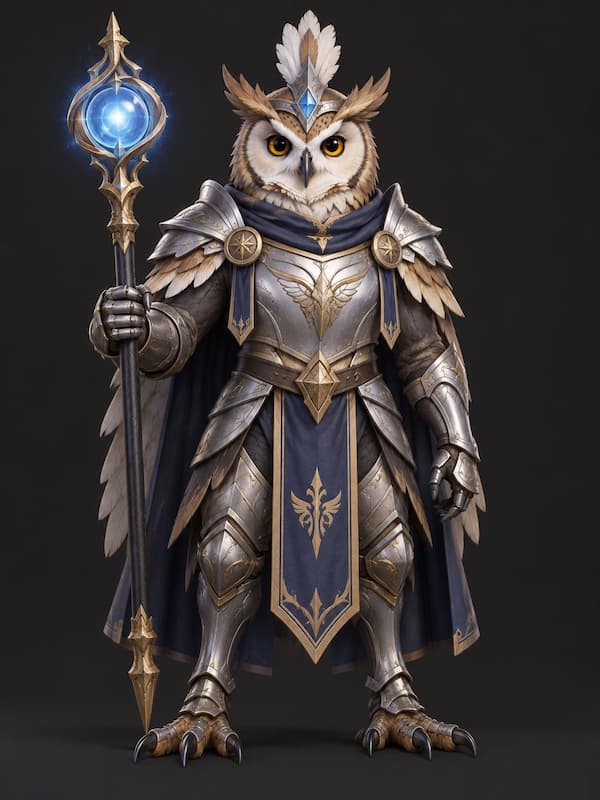
Fantasy Game Character
Full-body characters in a neutral standing pose convert into clean, rig-ready meshes — ideal for RPGs and indie games.
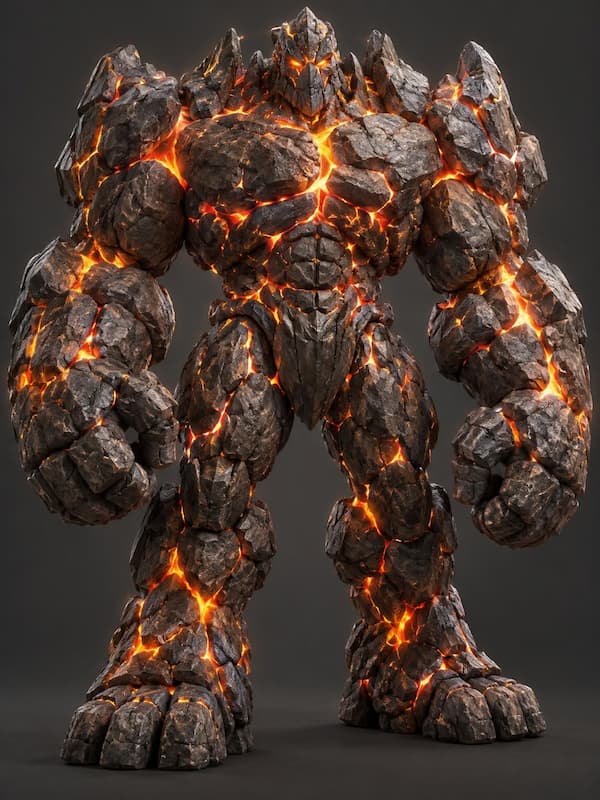
Creature & Monster Design
Organic shapes with clear silhouettes. Textured skin details like scales and cracks carry over beautifully into 3D.
Props, Weapons & Mecha
Hard-surface assets for games, film, and concept design.
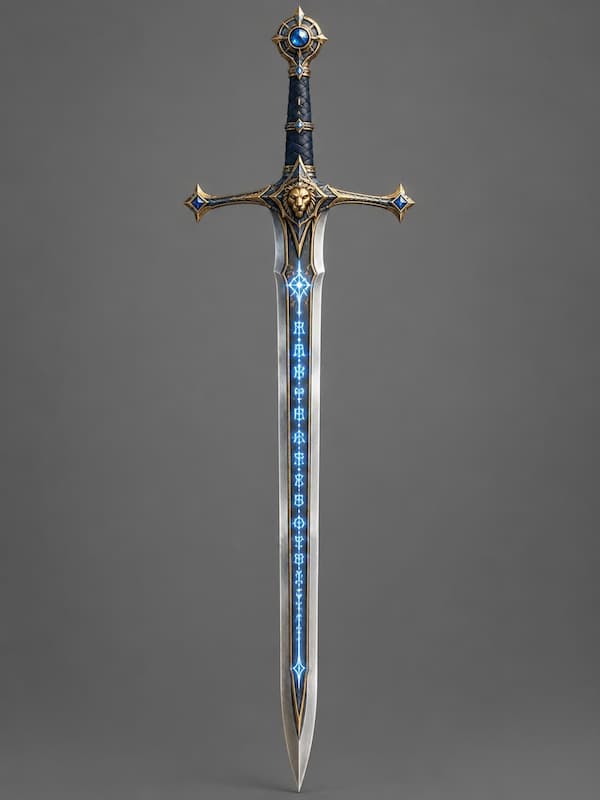
Game Weapon Prop
Single centered props are the easiest win — crisp silhouettes and clean materials convert in seconds.
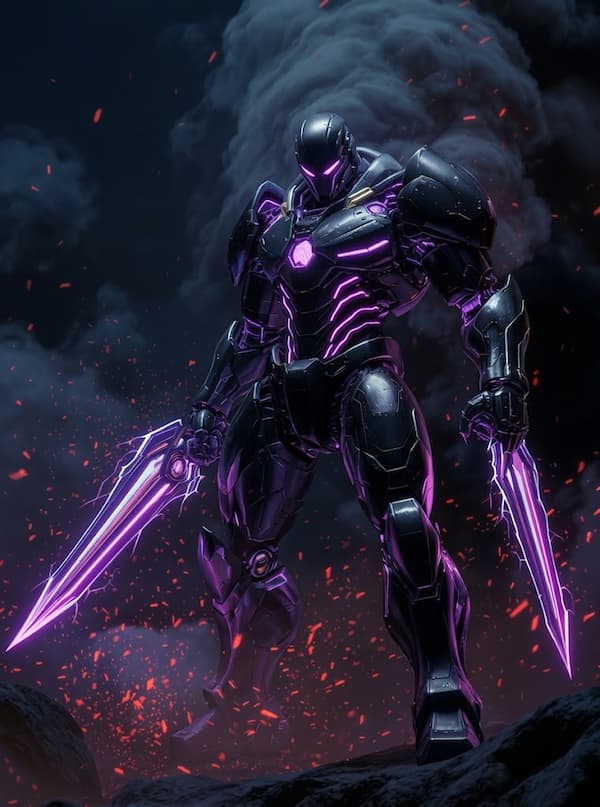
Mecha & Robotics
Complex hard-surface machines demand maximum fidelity — lock the front view and let the Ultra generator handle the rest.
Architecture & Environment
Buildings, dioramas, and scene props for faster level design.
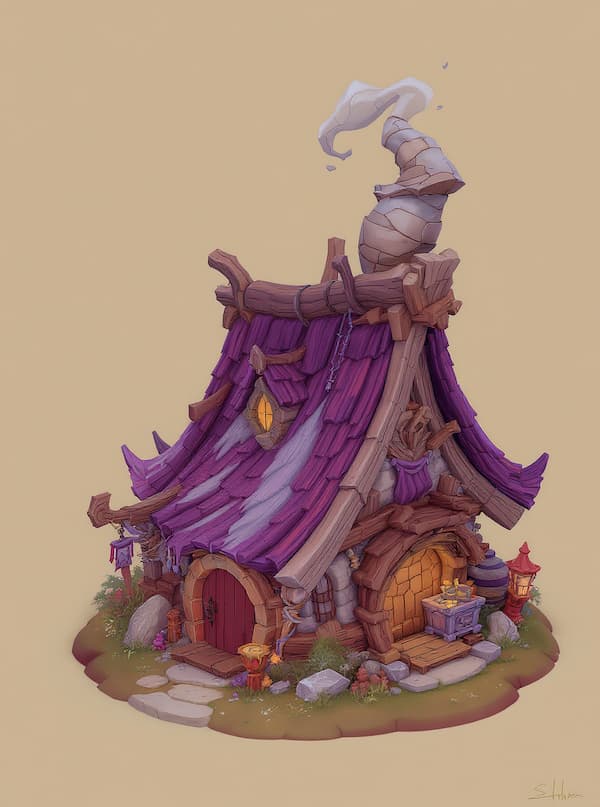
Stylized Building
A 3/4 isometric view gives the AI perfect depth information for houses, towers, and structures.
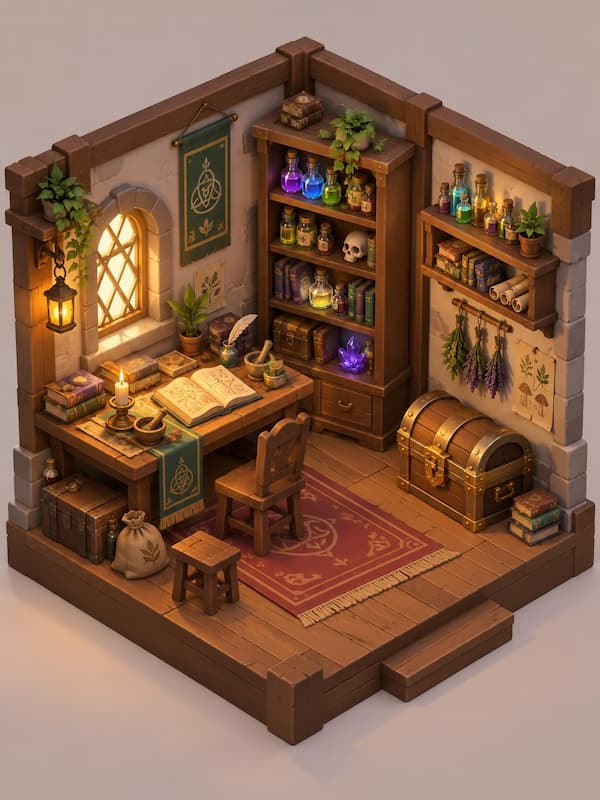
Interior Diorama
Cartoon-style room scenes convert into charming dioramas for education apps and casual games.
3D Printing & Miniatures
Figurines and collectibles ready for STL export and your print bed.
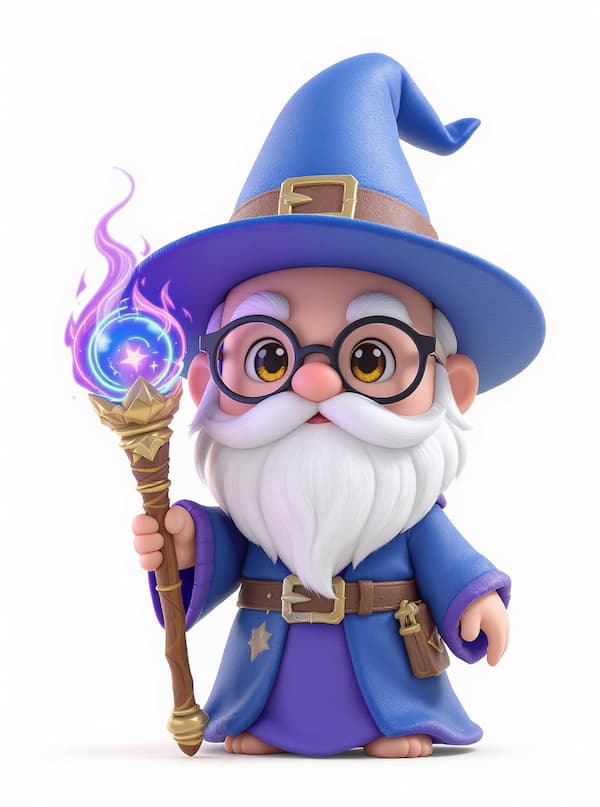
Chibi Figurine
Cute chibi proportions with big, simple shapes print beautifully — convert, export as STL, and start printing.
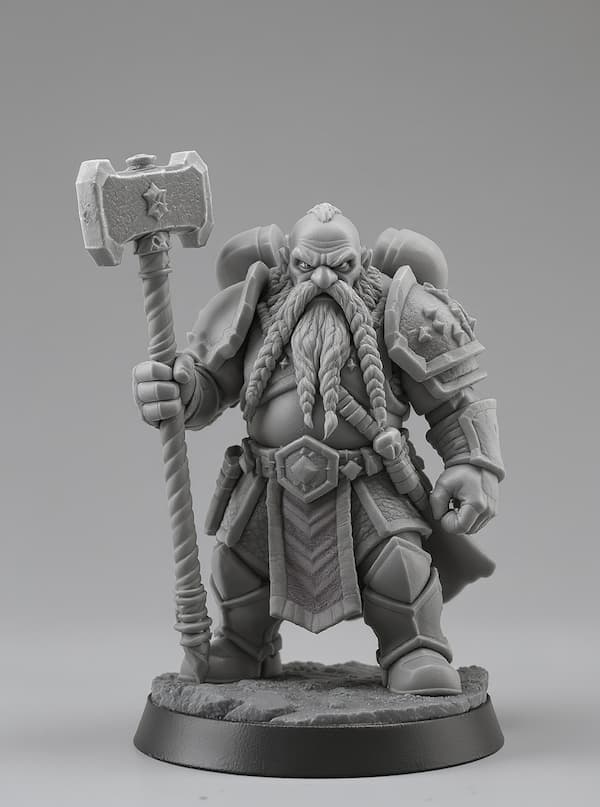
Tabletop Miniature
Design custom D&D minis and board-game pieces from a single sentence — no sculpting skills required.
Product & Portrait
E-commerce mockups, avatars, and busts with commercial-grade lighting.
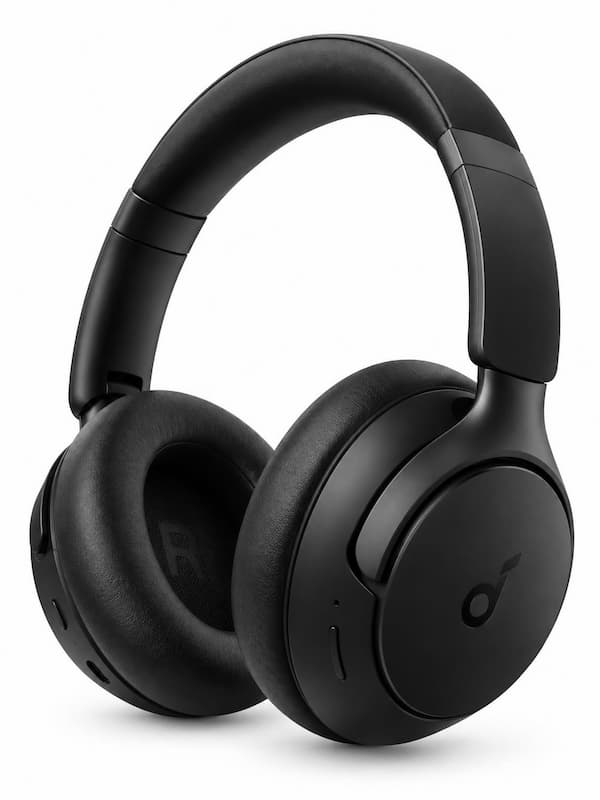
Product Mockup
Generate a clean product shot, convert it to GLB, and embed an interactive 3D viewer on your store page.
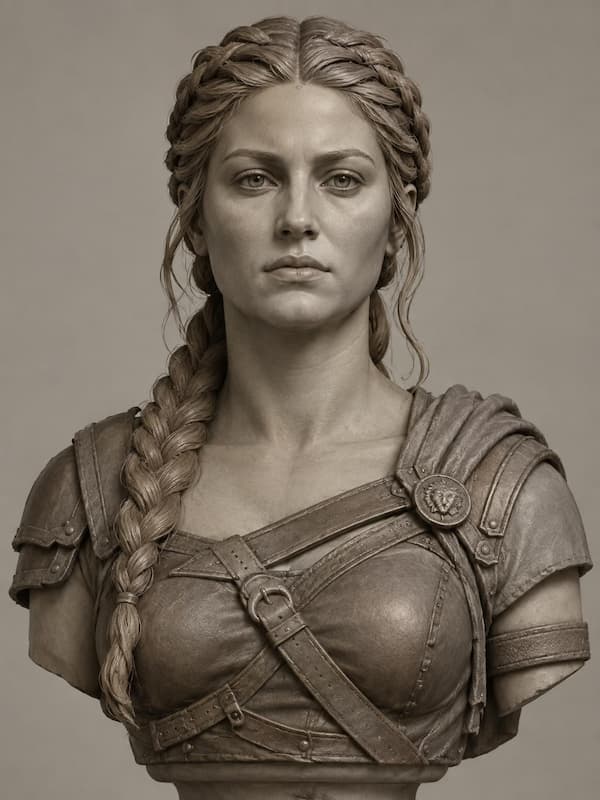
Portrait Bust
Front-facing, evenly lit portraits become realistic 3D head models — perfect for avatars and collectibles.
From Text to Image in 3 Steps
Describe Your Idea
Type a prompt describing a single subject from a front or 3/4 view.
Generate & Refine
Click Generate, then refine the wording or polish details in the AI Image Editor.
Convert to 3D
Send the image to a Base, Pro, or Ultra generator and export GLB, OBJ, or STL.
Why Generate Images on AI3DGen?
A general AI art tool gives you the first step of a 3D asset.
Fine-Tuned for 3D Assets
Our model is tuned on production-grade asset imagery — characters, props, mecha, and architecture — so compositions, poses, and materials come out the way a 3D reconstruction engine actually understands them.
3D-Ready by Default
Outputs naturally favor single subjects, full bodies, clean backgrounds, and even lighting. Less fixing, less pre-processing, and far fewer failed 3D conversions.
One Click From Image to 3D
Send any generated image straight to the Base, Pro, or Ultra 3D Generator — or polish it first with the AI Image Editor and Background Remover. Prompt to downloadable GLB, OBJ, or STL in minutes.
You Own Everything
Both the images and the 3D models you create are yours, with full commercial rights for games, film, prints, and digital marketplaces. No attribution required.